Managing Product (Family) Data
Remember when I said, that our Guided setup already preconfigured a lot of data? Well, that also includes our product database. But enough talking about it, let's dive right into it:
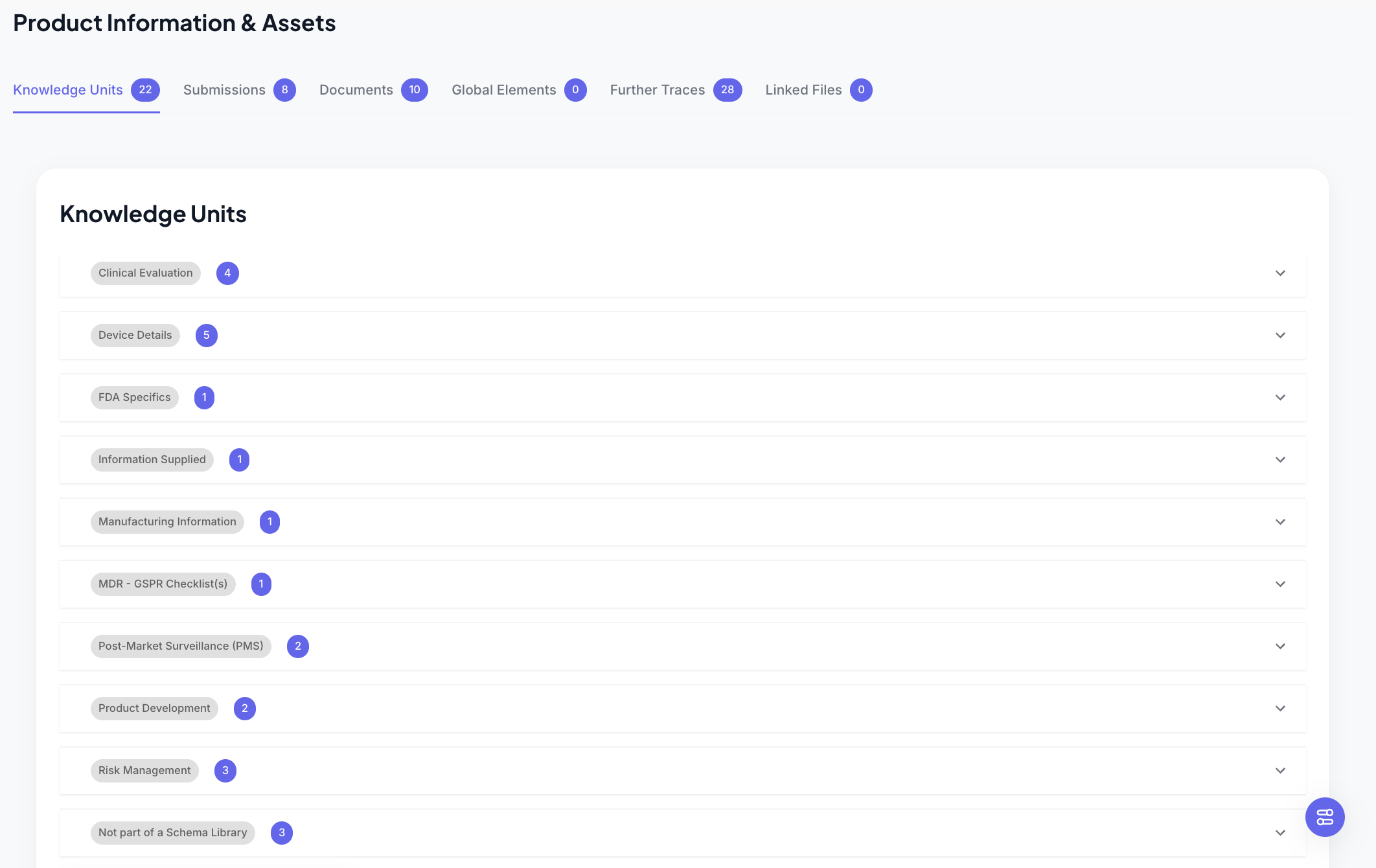
Under our Product, we find some sections. Under each section, we have some more containers, that we call Knowledge Units.
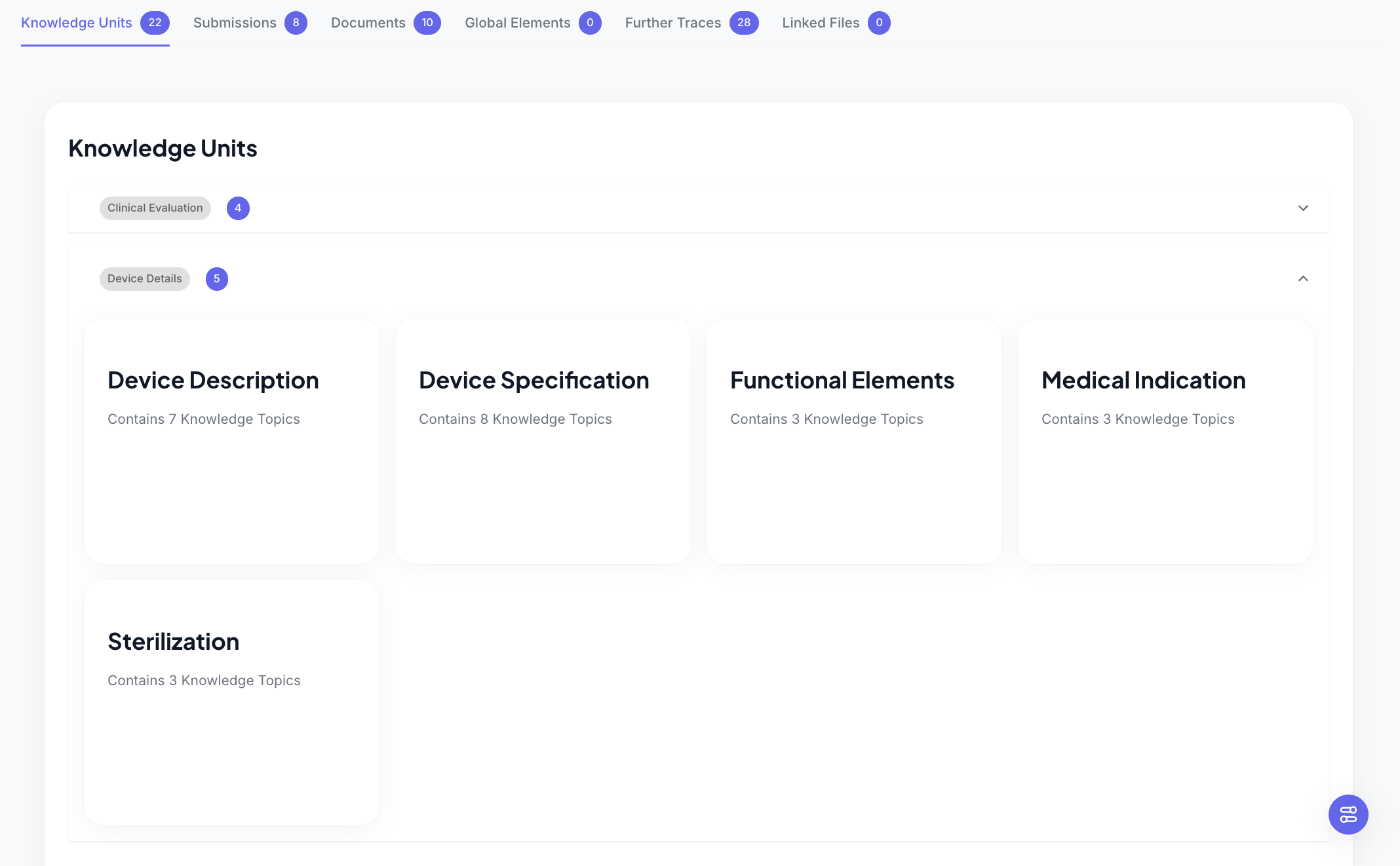
So in the image above, you see the Device Description Knowledge Unit, but also some others. They all live under the section Device Details.
Ok, STILL NO INTENDED USE!? I thinks it time, so, let's click into the Device Description Knowledge Unit.
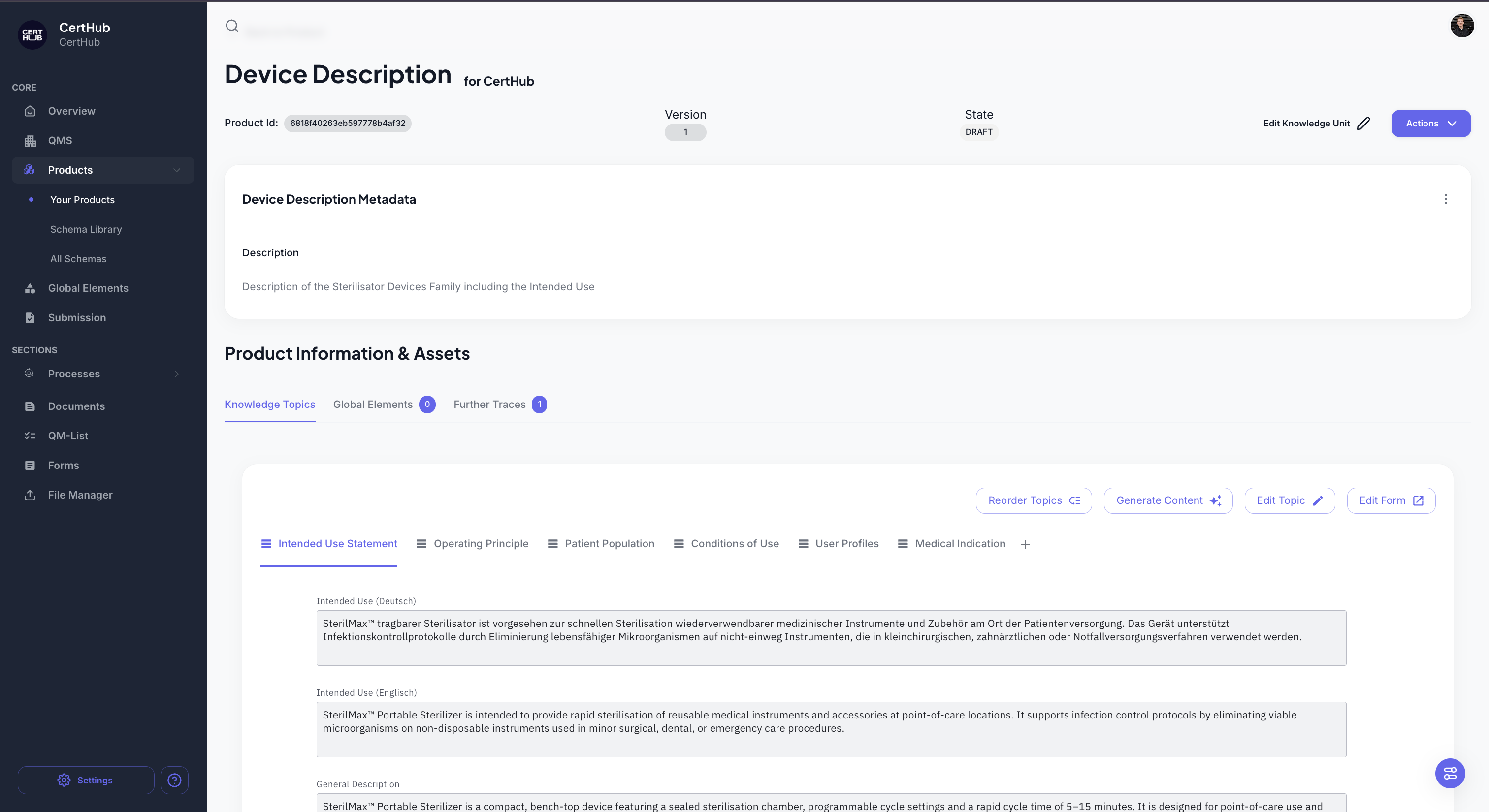
Within the Device Description, we finally find the Intended Use. Awesome!
By the way, there are more tabs here, so we store a lot more information under the Device Description, than just the Intended Use. You will typically find things like Patient Population, Conditions of Use etc.
All of these are called Knoweledge Topic in CertHub, so we have the Intended Use Statement Knowledge Topic, Condition fo Use Knowledge Topic and so on. You will also find lists here (e.g. the Similar Devices, Risks etc.), we sometimes refer to them as multi KTs.
To enter data here, just click on the *Edit Topic Button and you can enter the Intended Use. (Don't forget to click on save).
This will be the only place you wil maintain product data. Everywhere else, you will only reference it!
If you are still deciding whether something belongs on the family, the product, a master list, or in QMS, see Where does this information belong?.
Taking a step back - Product Families
Everything that you've seen for the Product is also true for the Prodcut Families. You can hav your database structure in the family as well and maintain data there. It will look exactly the same!
There is one key difference:
All Products, that live within the same Fmaily, will inherit every information that is maintained in the Family. That means, if I store my intended use in the Family, al child-products will inherit the same Intended Use!
Any change in the intended Use, will in that case, affect every child in the Family.
A short reminder, this is what the hierarchy looks like in the CertHub:
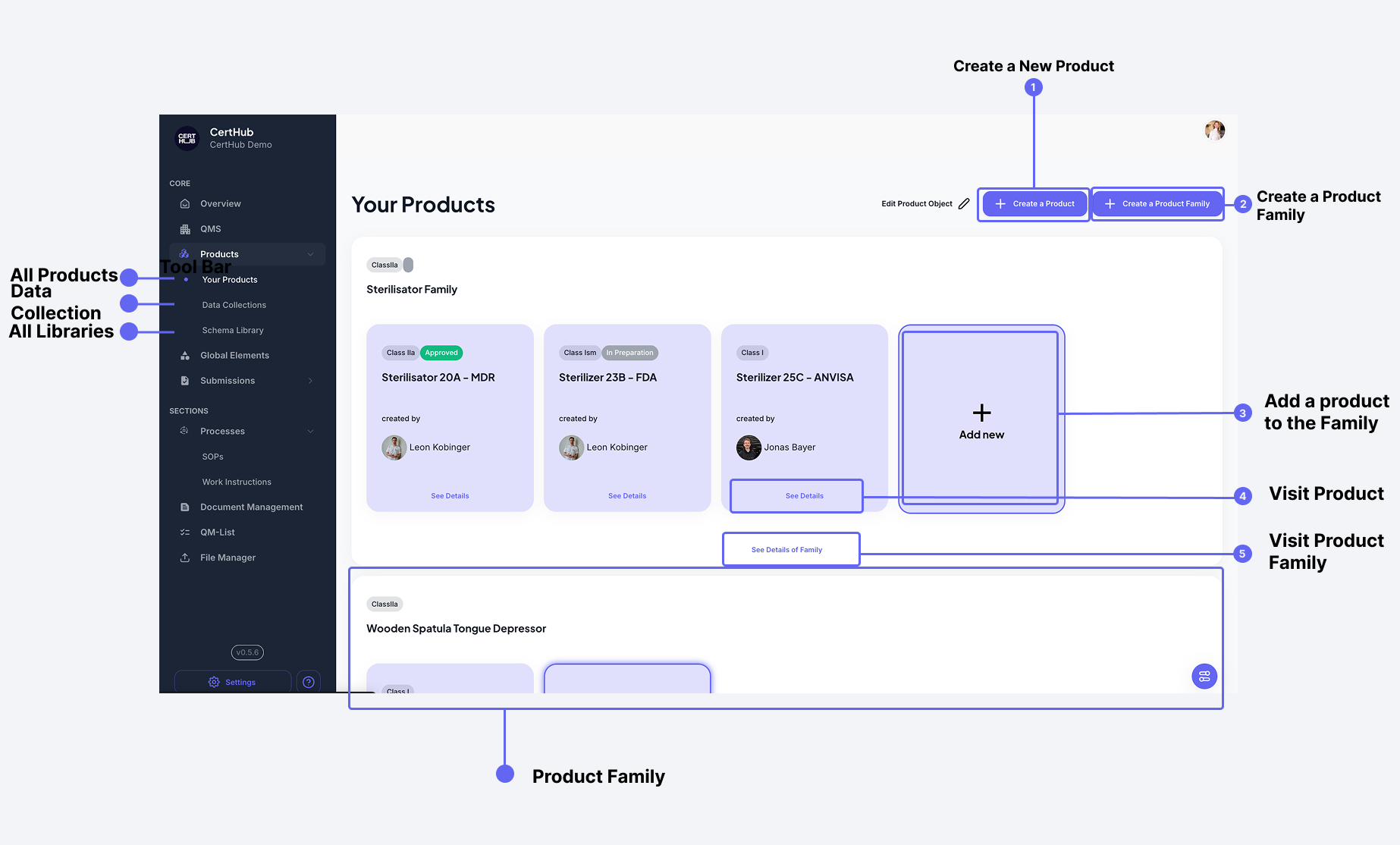 The product overview shows your product hierarchy, with families on the left and their associated products on the right. The main area displays the selected product's data structure.
How to get data into a Product or Family without using the guided setup
When creating a new product or family, you can import data structure from different places. You mostly want to use the schemas (organized in libraries). We will come to those in a second.
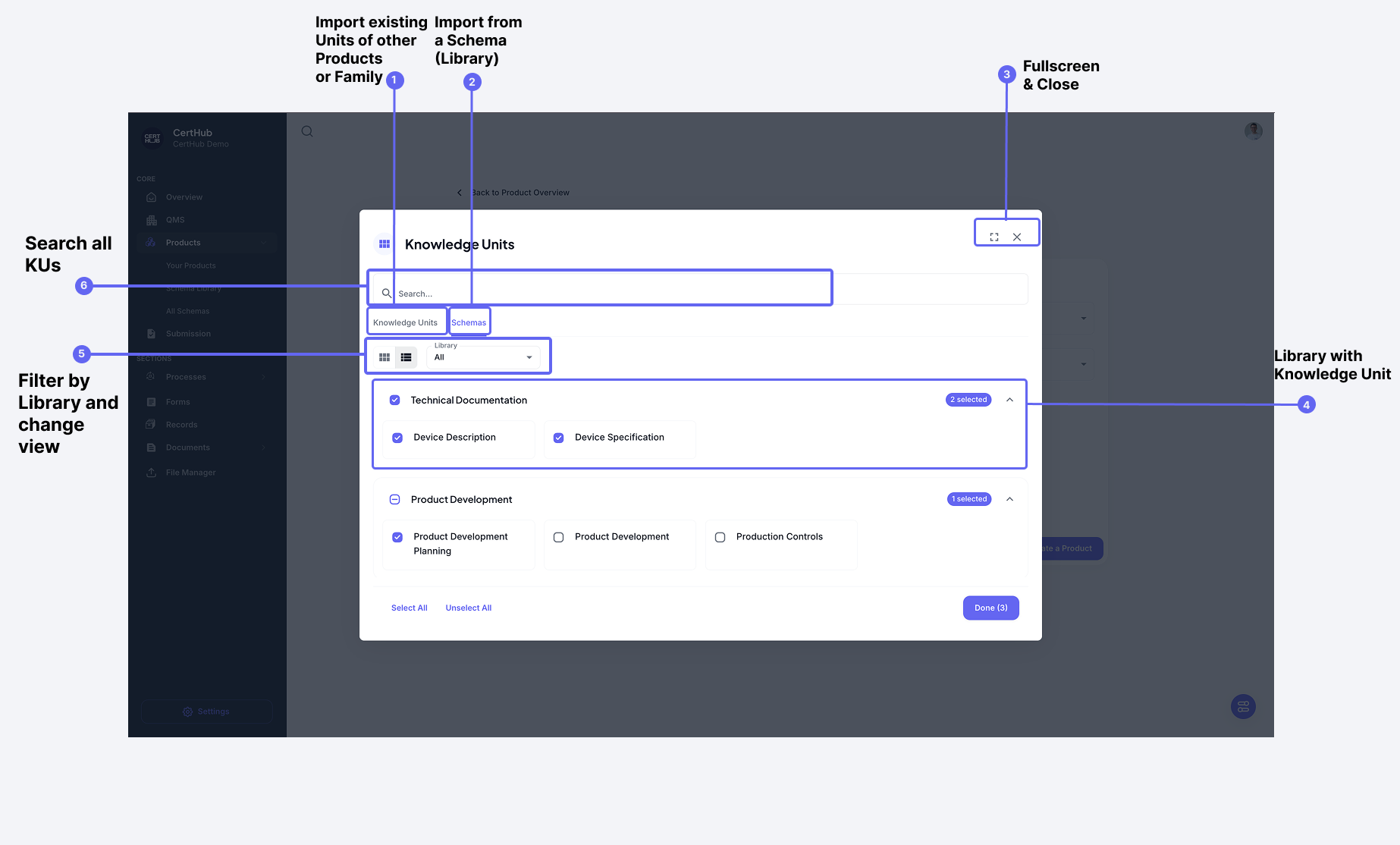 The import dialog allows you to reuse entire Units from other products or import from schema libraries, ensuring consistency across your product portfolio.
Editing Products and Families
The edit button let's you edit and delete product and it's data. Please be aware that this is permanent!
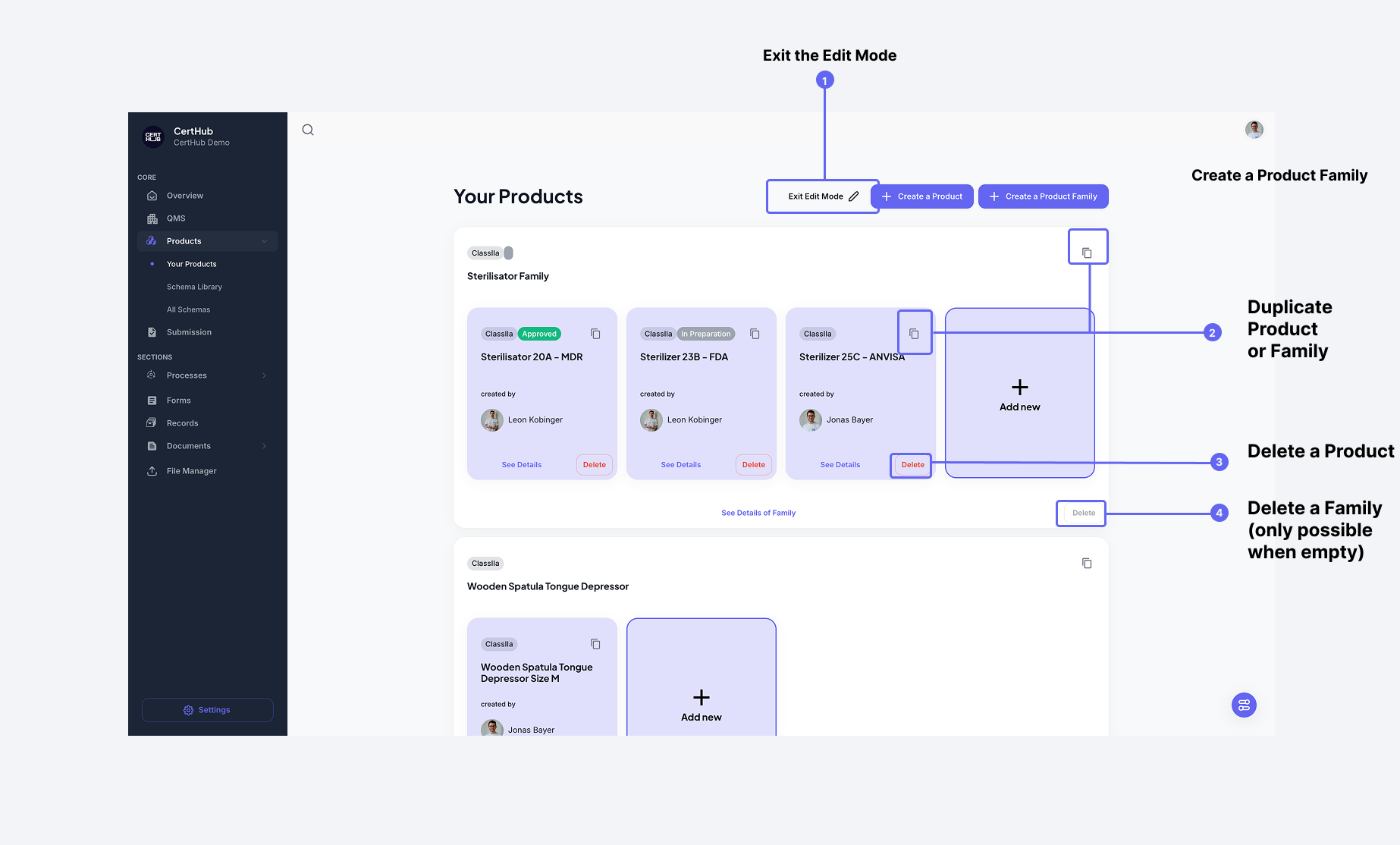
You can:
- Delete products
- Delete families (must be empty to be deleted)
- Duplicate Products or Topics to quickly create variants
Data Collections
Data Collection are here to help you maintain data across multiple product.
Let's say you have a bunch of variants and they all have (almost) the same contraindications. No problem!
We can just store a big master list of contrindications inside a Data Collection. After filling the master list, we can just give a product all its necessary contrainidcations.
(No more chaose, digitalization really works!)
How to add Information of a Data Collection to a Product?
When adding a Knowledge Topic (e.g. the Intended Use Statement under the Knowledge Unit Device Description), we can also add Information from a Data Collection. Click on the small plus and select "Data Collection".
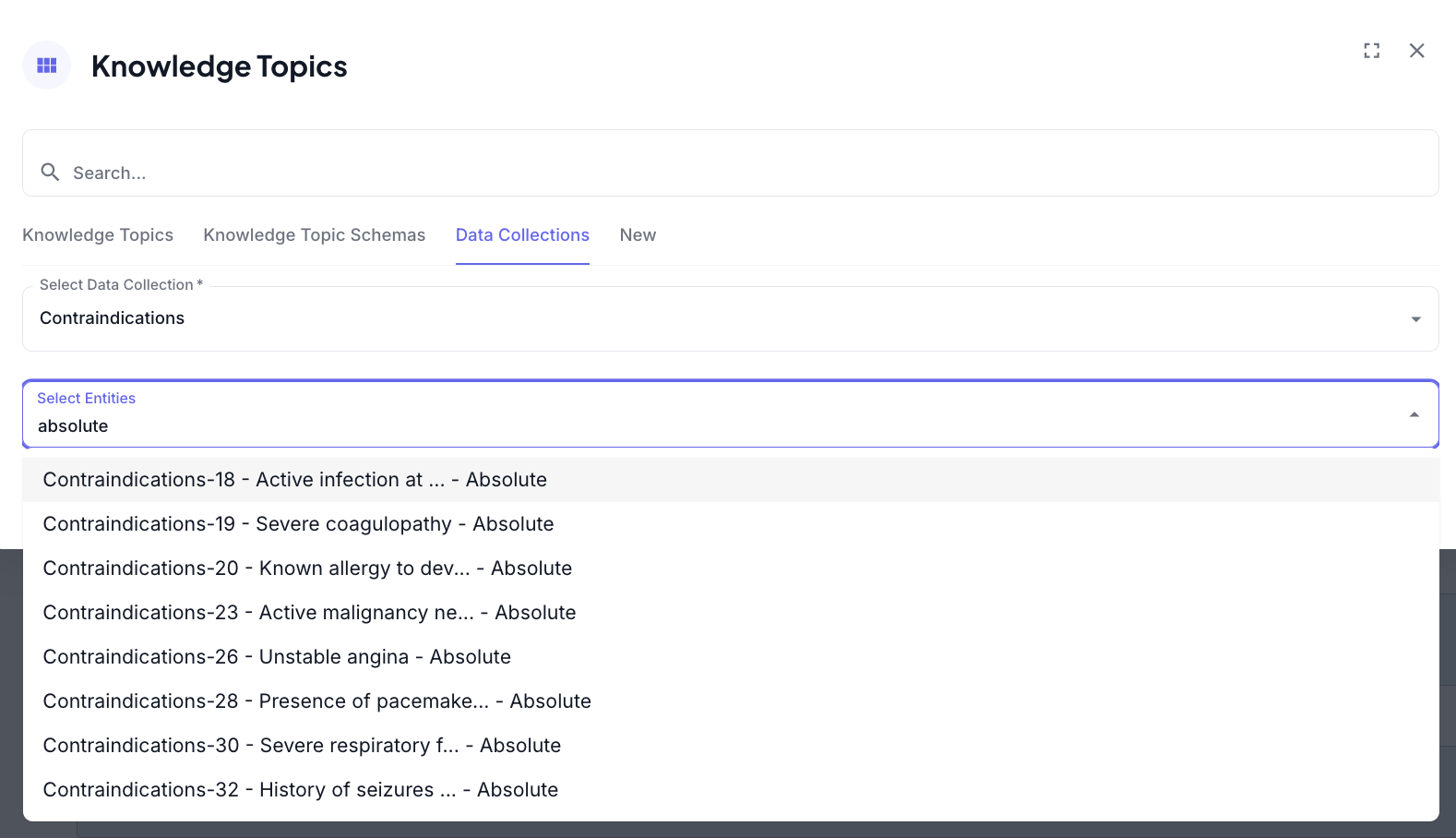
Use Data Collection Knowledge Topics for information that:
- Applies to multiple products or product families
- Needs to be maintained consistently across your product
- Would otherwise require manual synchronization across products
For detailed information about importing and exporting data from Knowledge Topics, including CSV templates and bulk operations, see the Import & Export Guide.